Everything in its place.
Small squares or wide tiles. Your favorite sites, their icons and a little color. Drag to arrange them, or use the keyboard and touch-friendly arrow controls.
 idam
idam
A new tab with room to think
A familiar place to start again.
Bring your everyday links, one daily priority, tasks and notes into a quietly useful new tab. Colorful tiles, bold typography and purposeful motion. Made to feel like yours.
Coming to Chrome Web Store See what’s coming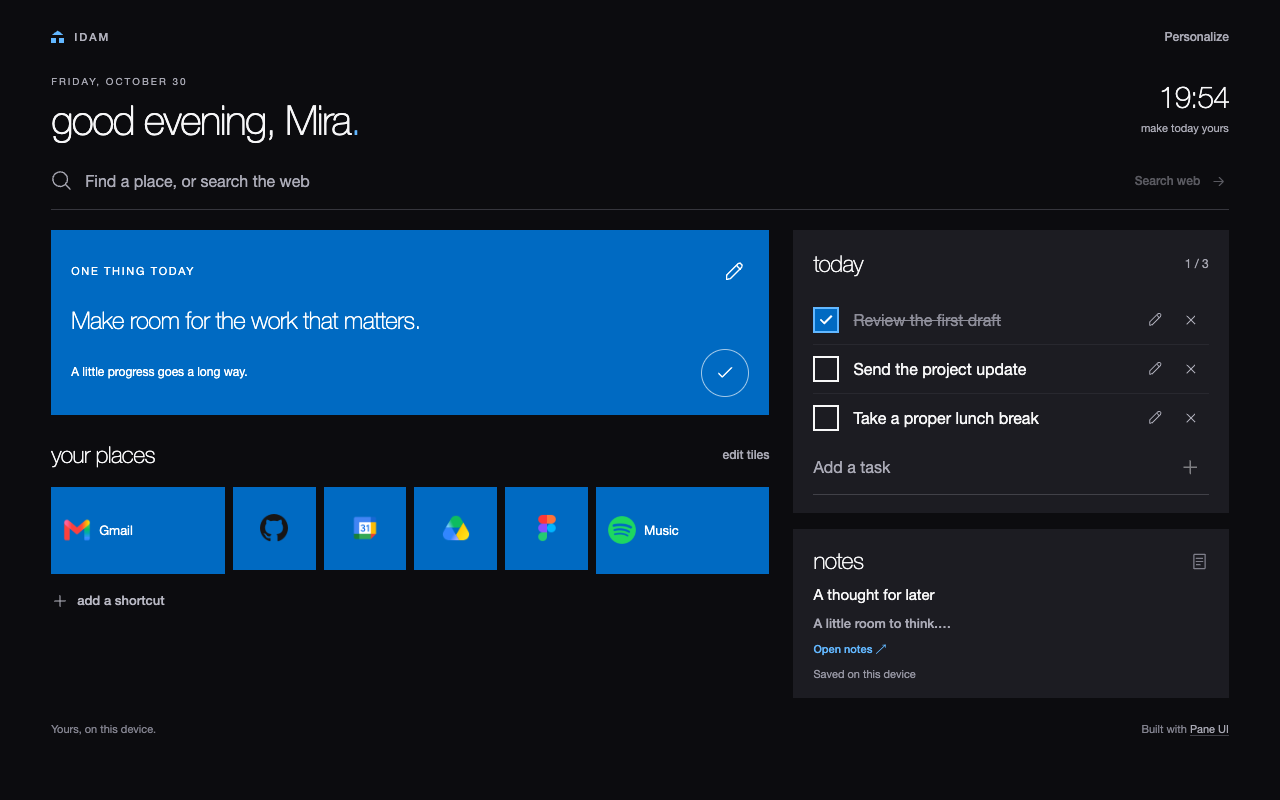
Small squares or wide tiles. Your favorite sites, their icons and a little color. Drag to arrange them, or use the keyboard and touch-friendly arrow controls.
Choose a daily priority. Keep the rest in tasks you can edit, complete and undo after deleting. Open your notes when a thought needs more room.
A personal greeting. Your accent color. A clock and web search within reach. Export your workspace as a JSON backup, and restore it when you need to.
Coming soon
Idam is being prepared for the Chrome Web Store. It is not yet available to install from the store. We’ll add the installation link here when it’s published.
Follow development on GitHubOnce Idam is published, this page will link directly to its Chrome Web Store listing.
Choose your name, familiar places and accent color. Your workspace is saved in your browser profile.
Open a new tab for your daily priority, shortcuts, tasks and notes.
Good to know
No account. No Idam backend. No analytics.
Your settings, shortcuts, tasks and notes are saved in your browser profile. There’s no cloud sync; JSON export and restore put you in charge of moving your workspace.
Website icons can automatically make requests to a saved site and external favicon providers. Web searches and shortcut links open their destinations when you use them.
Read the privacy detailsStore-installed extensions receive updates through your browser. Export a backup in Personalize → backup & restore before switching from an unpacked beta to the store version; they can have separate storage. Import that backup into the store version before removing the beta.
Yes. Disable Idam on your browser’s Extensions page and re-enable your previous new-tab extension. Export a backup before uninstalling: uninstalling clears Idam’s local data.
No. The new-tab extension works independently. The optional theme extends the same dark, flat style to Vivaldi’s browser interface.
Backups are readable, unencrypted JSON files. Keep them private. Restore replaces the current workspace after a preview and confirmation. Idam keeps one local recovery copy; export a separate copy to protect against losing the browser profile.
Optional companion
Idam for Vivaldi brings dark surfaces, flat controls and a blue active tab to the browser itself. A separate CSS theme, with its own setup.
Made by Ajmal Hassan · Built with Pane UI
Found a rough edge? Tell us what happened, your browser version and how to reproduce it. Leave private workspace data out of public reports.